How Does a Camera Image Become a Cobot Target in Robot Coordinates?
How does computer vision turn a camera image into a useful cobot action?
Computer vision turns an image into useful task information by connecting visible features to geometry, estimating a target’s pose, and expressing that pose in the robot’s coordinate frame. The integration must then define where the tool should go relative to that target. These are separate steps: a detected object, a robot-frame target and an executable action are not interchangeable.
For anyone asking “what is computer vision in robotics”, the most useful distinction is between recognising something and locating it in coordinates a machine can use. This article focuses on that coordinate handoff—not camera selection or motion-release approval.
What information is missing from an image detection?
Imagine an illustrative task: a cobot must bring a tool to a defined point on a rigid fixture with known geometry. Finding the fixture in an image answers only part of the problem.
A highlighted image region does not, by itself, specify the fixture’s position and orientation relative to the robot base. Nor does it identify the intended tool position relative to the fixture. Those relationships must be established explicitly.
Before developing the vision pipeline, write down the desired output. “Find the fixture” is incomplete. “Estimate the pose of this fixture reference frame, then derive this specified tool target” gives the integrator something concrete to evaluate.
How do calibration and pose estimation differ?
Three related operations have different jobs.
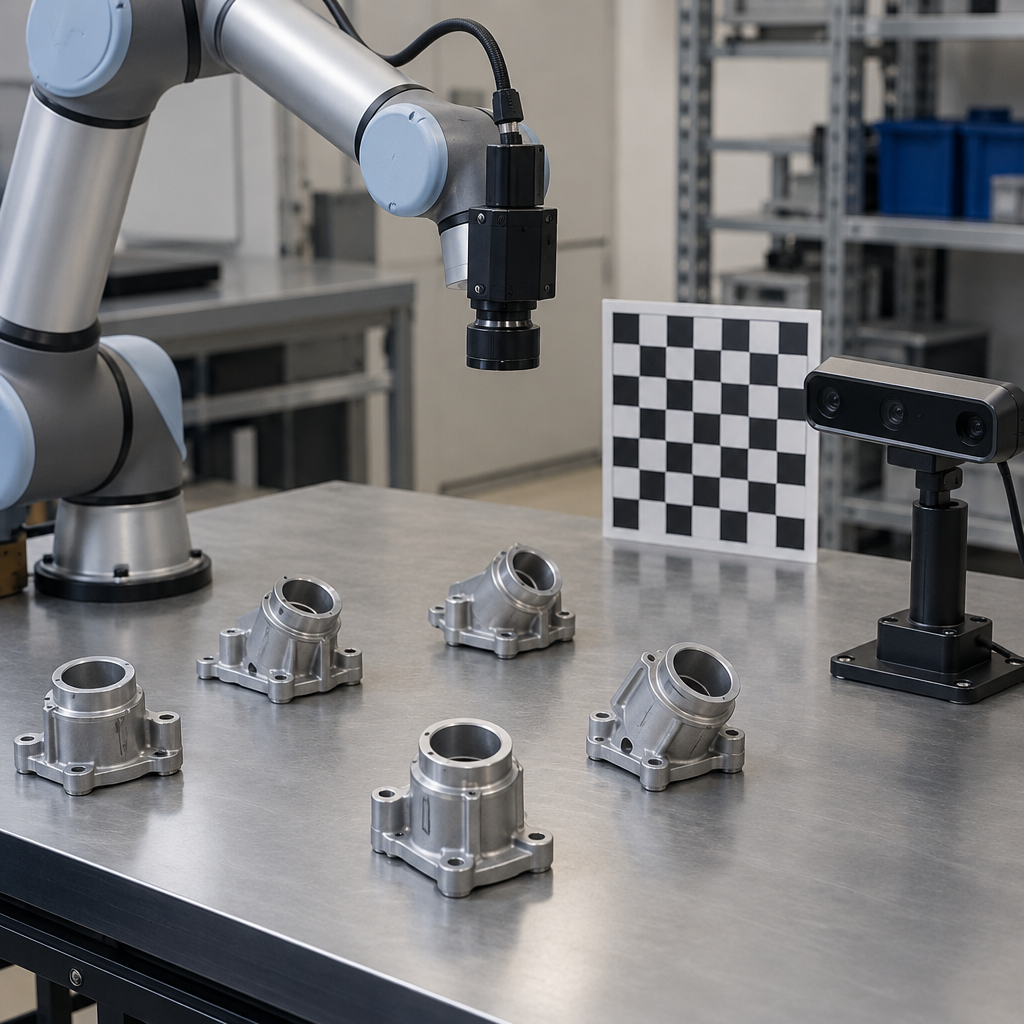
Camera calibration describes image formation. Intrinsic parameters and distortion estimates describe the camera’s imaging geometry. The OpenCV camera-calibration tutorial explains calibration using chessboard observations. Detecting the chessboard is an input to that process, not proof that the resulting calibration is adequate.
Pose estimation locates known geometry relative to the camera. OpenCV’s solvePnP estimates the pose of known geometry. In the fixture example, the geometry and its visible features provide the reference for estimating position and orientation. This is different from merely assigning an object label.
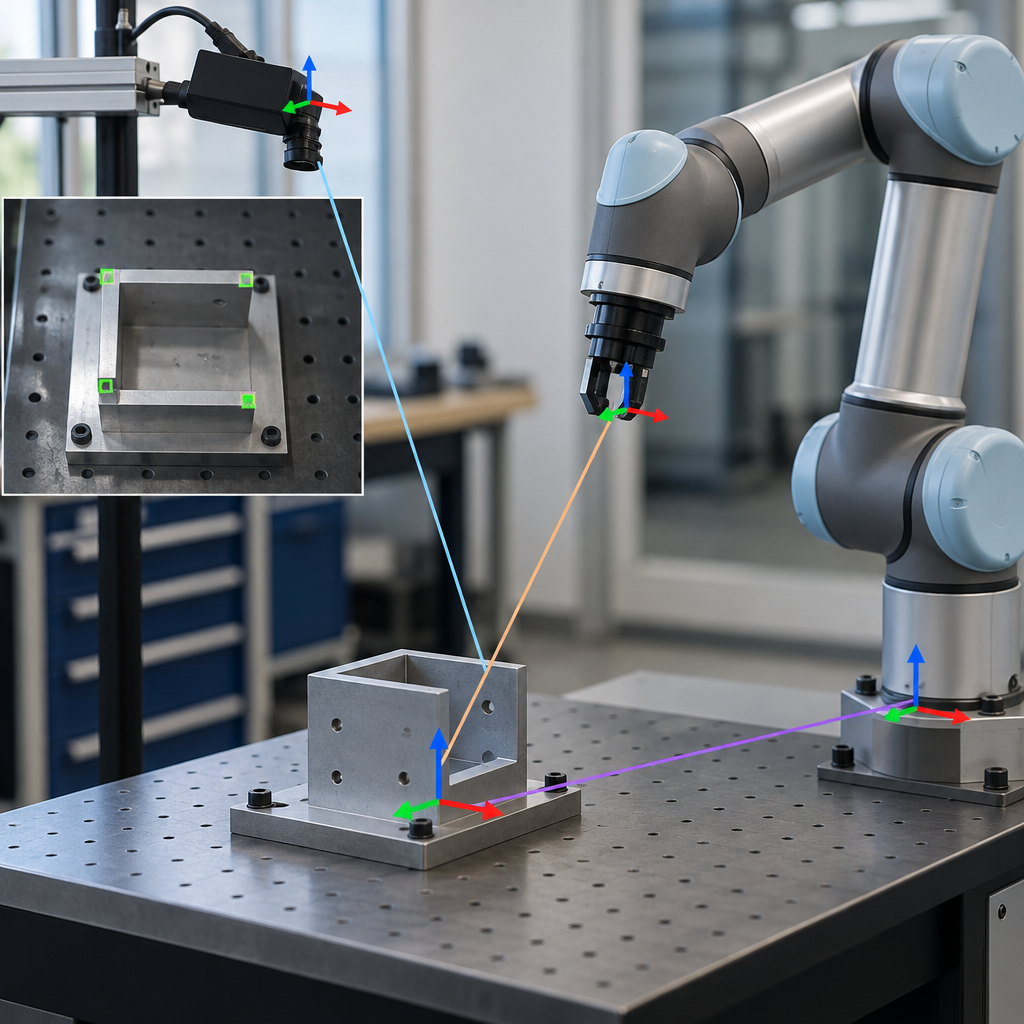
Extrinsic calibration connects the camera and machine frames. The MoveIt calibration explanation describes the relationship between camera pose and a machine coordinate frame. For eye-in-hand calibration, camera-to-target and base-to-end-effector pose pairs support that relationship.
These operations answer different questions. Combining their results is what makes a camera-relative observation usable in the robot’s coordinate system.
What should the coordinate handoff contain?
Ask the integrator to document the chain in plain language:
- Image features: which observations correspond to which known points on the fixture?
- Camera-relative fixture pose: where is the fixture reference frame relative to the camera?
- Robot-relative fixture pose: how is that estimate expressed relative to the robot base?
- Requested tool pose: where should the tool be relative to the fixture?
The fourth item is a task decision, not something calibration automatically supplies. A fixture origin could be convenient for measurement while being entirely different from the point the tool needs to reach.
Require every reported pose to name its reference frame, units and orientation convention. Also ask which direction each coordinate transformation maps. A collection of numbers labelled “position” is not a sufficient handoff specification.
The practical trade-off is between a quick demonstration and an inspectable integration. Explicit frame definitions take preparation, but they make it possible to distinguish an image-estimation problem from a coordinate-conversion or task-definition problem.
Why is a target pose still not an action?
A target pose describes a requested destination and orientation. It does not describe every decision required to execute the task.
For the illustrative fixture task, the integration still needs to specify the relevant tool reference, the approach and the conditions under which the requested operation is appropriate. These decisions should not be hidden behind a claim that the camera “understands” the scene.
A camera picture alone is not a validated safe motion command. Likewise, a correctly transformed target does not establish that motion to it is appropriate. Keep geometric evaluation separate from the broader assessment of the machine and task.
The NIST AI Risk Management Framework offers voluntary guidance for managing AI risks throughout design, development, use and evaluation. It is not product certification or evidence that a particular vision integration performs as required.
What should you check in a coordinate-handoff evaluation?
Use this checklist to scope the evaluation, rather than treating it as an acceptance certificate:
- Defined geometry: Identify the known geometry used for pose estimation and its reference origin.
- Calibration evidence: Request evaluated calibration results, not just an image showing detected chessboard corners.
- Named frames: Document the camera, fixture, robot-base and tool frames used in the handoff.
- Transformation direction: Make units, orientation conventions and mapping direction explicit.
- Independent comparisons: Compare estimated targets with independently established references across the intended task region; agree task-specific tolerances before testing.
- Task offset: Evaluate the conversion from fixture pose to requested tool pose separately from fixture detection.
- Unusable estimates: Define how missing or unacceptable pose estimates are reported, rather than silently treating them as valid targets.
SMERT is an OEM and integrator. When scoping a vision-guided SMERT Cobot application, use the computer vision service discussion to define these interfaces and evaluation questions before attributing capabilities to the proposed system.
Which three follow-up questions should you ask?
- Which coordinate frame does each output use? Request one worked example tracing an observation through to the robot-frame target.
- How was the fixture-to-tool relationship chosen? Ask the task owner to distinguish the measurement origin from the required working point.
- How will testing isolate the source of an error? Agree separate checks for camera calibration, pose estimation, coordinate conversion and tool-target definition.
Related: Cobot integration
Transform Your Business with SMERT Robotics
Ready to experience the benefits of hospitality automation? Our team is ready to help you get started.